

One of the things that has bugged me for some time about the storyteller is that the images take some time during the story to load up, sometimes causing a slight problem if you are trying to line them up exactly with sound effects.
Here's a way around that.
At line 000 create an effect "key" that is set to:
Display On
Effect Type: Fade to Black
Effect: Fade Out
Depth: In Front
---BG--A--B--C--effect--OBJ--Msg--SE--BGM
000.....................X..................................
Now, at line 030 turn the display of that event OFF
---BG--A--B--C--effect--OBJ--Msg--SE--BGM
030.....................X..................................
You'll now have a Green arrow at line 000 and a blue box at line 030, connected by a continuous light blue line.
Start your actual storyteller at line 030 with whatever graphics, text etc. When you are done, copy each background and character graphic that is used and place the duplicate background graphics and character graphics between lines 015 and 025. Make sure to place keys turning them all off before line 30!
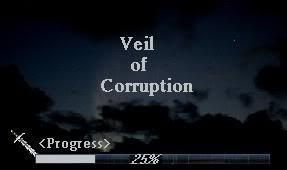
The duplicate copies of alll of your storyteller images will load during the blackened out first 30 lines and there will be no pauses at all thereafter because they will already be in the temporary memory of the game. During that time the player will only see the black screen and the "loading" message at the lower right of the screen.
It makes things flow much more smoothly during the actual storyteller. You only have to wait at the beginning of it instead of throughout the entire thing (as each image loads for the first time). This is especially helpful for really long storytellers.
Here's a way around that.
At line 000 create an effect "key" that is set to:
Display On
Effect Type: Fade to Black
Effect: Fade Out
Depth: In Front
---BG--A--B--C--effect--OBJ--Msg--SE--BGM
000.....................X..................................
Now, at line 030 turn the display of that event OFF
---BG--A--B--C--effect--OBJ--Msg--SE--BGM
030.....................X..................................
You'll now have a Green arrow at line 000 and a blue box at line 030, connected by a continuous light blue line.
Start your actual storyteller at line 030 with whatever graphics, text etc. When you are done, copy each background and character graphic that is used and place the duplicate background graphics and character graphics between lines 015 and 025. Make sure to place keys turning them all off before line 30!
The duplicate copies of alll of your storyteller images will load during the blackened out first 30 lines and there will be no pauses at all thereafter because they will already be in the temporary memory of the game. During that time the player will only see the black screen and the "loading" message at the lower right of the screen.
It makes things flow much more smoothly during the actual storyteller. You only have to wait at the beginning of it instead of throughout the entire thing (as each image loads for the first time). This is especially helpful for really long storytellers.
Comment